Suunto Spartan WHR software update to version 2.5.18
Check out this video. Looking to do more videos this year and keep up my updates on the software improvements on Suunto Spartan.
I love to newest update they have done. Also the update is moving your smartphone away from using the MovesCount app to upload your watch. Download the Suunto app and synch your watch with it.
Cool new features include creating custom fields and what information you are looking to view looking down at your watch.
Please, "Like" and "Subscribe" to my YouTube channel.
This easy to use TENS unit connects through BlueTooth to your smartphone. Easy to follow instructions on where place the pads (i.e., shoulders, neck, arms, legs, back etc.)
Loosen muscles using the device.
A TENS (Transcutaneous Electrical Nerve Stimulation) unit is used to help reduce pain and increase circulation. Check it out and order yours at the link below U-GYM Deep Tissue Massager
SkyLab's 3-Axis Stabilizing Gimbal for smartphones is the best in 2017! Your smartphone already captures video in up to 4K quality, so why not pair it with the smooth flow of the SkyLab 3-Axis Stabilizing Gimbal to capture professional quality video, using the three individual motors that work in real time to continuously balance and level your movement. Forget unwanted shakiness and jolting. The Three-Axis Stabilizing Gimbal has a little over 150 minutes of use on a single charge and comes with 2 sets of batteries.
Check out this video I created, the end shows actual footage shot with the SkyLab gimbal using a Samsung S7.
Charger the batteries in the enclosed charger with USB cable. Also with firmware updates, use the same USB cable to update the gimbal using the port on the side of the unit. Use the joystick on the handle for panning, tilting, and rolling. An easy set up, with simply attaching your smartphone in the spring loaded cradle. There is an enclosed counter weight in the case, for use with heavier smartphones, if needed.
SkyLab also makes a version for the GoPro.
Enclosed counter-weight
USE port for updating firmware in the handle
Joystick for panning, tilting and rolling
Enclosed USB cable used for charging batteries as well as updating firmware
SkyLab 3-Axis Stabilizing Gimbal for Smartphones
Mode One — Pitch Lock — Panning and Roll axis can move freely while Pitch axis is fixed.
Mode Two — Unlocked — Panning, Roll, and Pitch axis move freely and will trail the handles movement.
Mode Three — Locked — Panning, Roll, and Pitch axis are all locked in a fixed position.
Proud to be representing and using Activ5 allowing me to exercise anywhere. Along with my cardio, cycling, running and swimming, using the Activ5 makes for quick yet effective workout. I have even showed it to my 10 year-old son, using the Activ5 device. Paired through bluetooth to my smartphone, select a workout ranging from upper body, lower body, toning, yoga and pilates, as well as abs, butt and leg workouts. For busy travelers there are even workouts on the app geared towards using in small spaces such as a car or airplane and finally hotel workouts. All these isometric exercises have easy to follow directions and images, showing a model using the device and where to place it for the exercise. The first time you do a specific exercise you will set your “max power” and the app will then contour the exercise according to that setting.
Before performing any of the exercise you can reset your max power output.
At the end of each exercise is give you a report on how you performed that exercise. Your max power in pounds and how much weight can be compared to that you just lifted. The muscle control you had in a percentage.
The little, very portable, device is powered with one AAA battery.
The device works off of applying pressure, sometimes on both sides of the device, others just pressing down, applying pressure to the one side, depending upon the exercise being performed. During each exercise you apply more pressure making the marker rise on the app, and apply less pressure to make it lower. The only setting adjustment I needed to make to my smartphone was the timeout length. I was running in to my smartphone falling asleep during my workout. I have now taken care of this and the Activ5 device is great.
These isometric exercises contract particular muscles or groups of muscles. The muscle doesn't noticeably change length and the affected joint doesn't move.
Besides the Activ5 app, there are other apps (games) out in the iTunes or Google Play stores. Involve the kids in these exercises paired with the games and they will have no idea they are helping tone their muscles.
The STRYD running power based training system for runners. Find out how much power in watts you are creating while running. The footpod easily charges with the charging station you place the pod onto. I have been told you should only need to charge the pod once a month. This can differ though. Synch it with your smartphone and the STRYD app.
The center of the pod turns orange as is sits on top of the charging device.
I have the app on my smartphone, synched with BLE, and there it tracks my watts, time, average mile pace, incline, distance and steps per minute. I also have the STRYD footpad synched with my Suunto Ambit 2S. The initial set up, I had to pair the ANT+ device to the watch. In the fields also I activated the FOOTPOD and POWERPOD. One of the screens I have it rotate through, I have the power in watts show up, so I know up the the second the power I am putting out while running. The STRYD power pod attaches and is worn on the shoe laces.
In my training I use the STRYD Power Pod to let me know the effort being applied to my running / workouts.
When connected to the STRYD Power Center you can analyze numerous aspects of your run and the data the pod collected.
Statistics that appear in the Power Center after a workout wearing the STRYD Running Power Meter.
Leg Spring and Form Power, both of these I need to work on to get more efficient.
Connects with Garmin, Suunto, Training Peaks, Strava, and 2Peak programs.
Showing it here connecting to my Suunto account.
To help increase my running efficiency I am looking at improving my leg spring stiffness, less energy to propel me forward. In the case of the STRYD Power Pod meter the higher the number the better. (Yes, I need to work on this a ton.) Also form power goes hand in hand with this. Lowering my form power number is what I aim to do also. The lower the number the better.
Power meters are used in and have been used cycling and they are too used in running with STRYD.
This is nothing new, as this watch and the technology have been out for a few years already, but wanted to inform others that hate wearing a chest strap, there is something you can do about it. Hate wearing a chest-strap? Here is the perfect answer. The MIO ALPHA reads your heart-rate off your skin. Under the watch band is a sensor, similar to those devices that read your pulse off your finger. The watch displays your heart-rate. With the Bluetooth or ANT+ connection it sends the information to paired devices. I have both Bluetooth and ANT+ models, two separate watches. I paired my ANT+ with my Suunto Ambit 2S and then wear a watch on each wrist. The ANT+ model I own I have paired with my Samsung smartphone.
From what I am finding out, the ANT+ model is no longer available, as it is only being produced in the BLE.
From what I am finding out, the ANT+ model is no longer available, as it is only being produced in the BLE.
The watch features an LED light, lighting up blue, green or red, letting the user know if their heart rate while working out is too low, too high or right in their zone, all without wearing a chest strap I might add again.
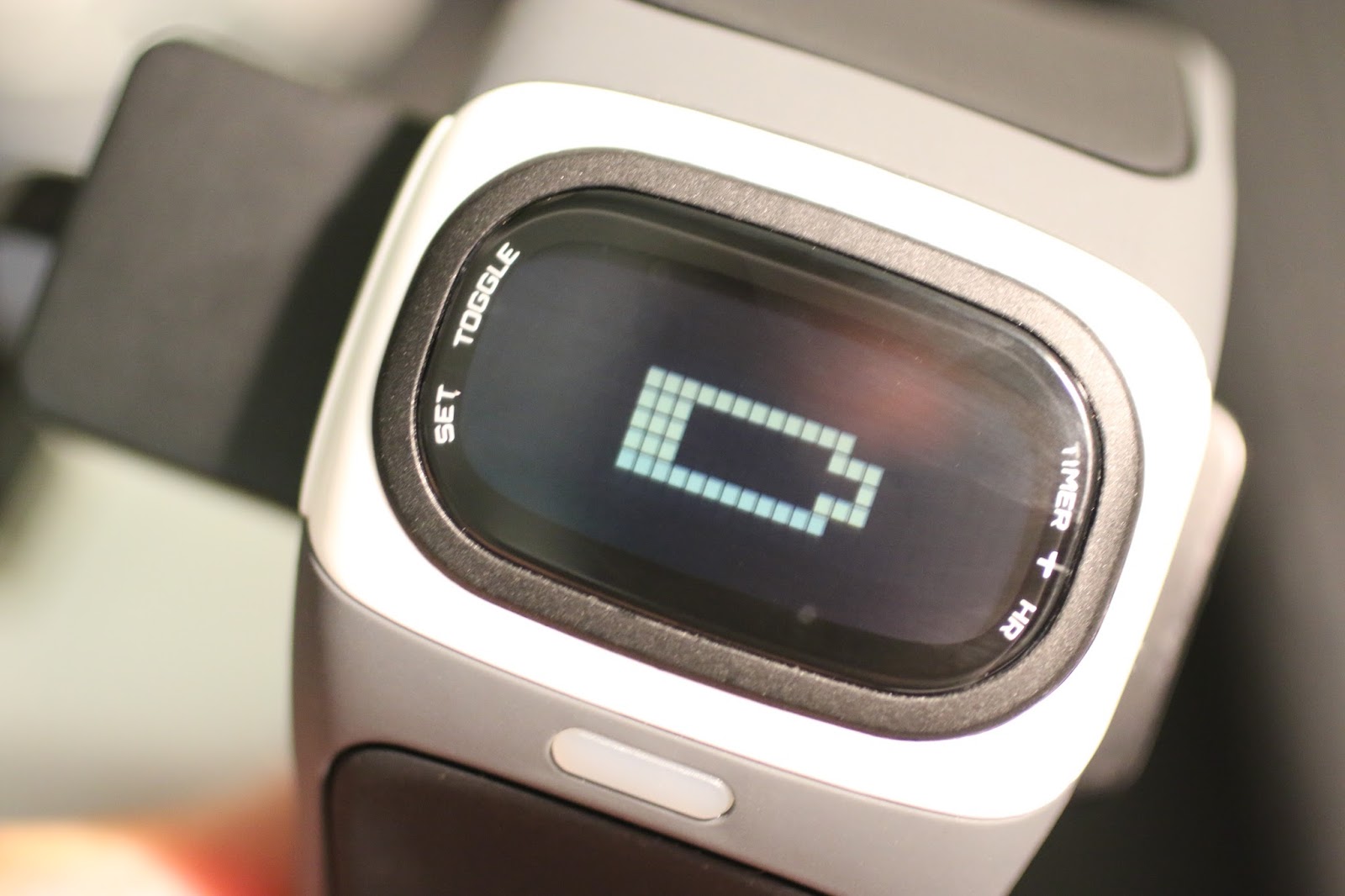
The watch comes with a charger that can be plugged into a USB port and the LED then too lights up to show you it is charging as well as when it is fully charged.
Here the MIO Alpha is paired with my Suunto Ambit 2S.
Set your Zone in which you want to keep your heart rate in. Not only will the LED change color depending upon if you are in the zone you are wanting to be in, but a “beep” will also go off. These are great because many times if using the watch like this, if you are wearing headphones you can still monitor where your heart rate is with the LED’s or as well as looking at the screen itself.
There are only two buttons to operate the watch, one on either side of the face. You can use the timer in the exercise mode to track your workout time. I use my Suunto Ambit 2S for gathering exercise time.
The watch comes with its own USB charging cradle. Simply line up the pins on the back to the charging ports and charge the watch.
Download the free app for allowing your smartphone to track your exercises and then export the TCX file into your favorite program later on. With the app it will show basic features, unless you play to download the full version of the app.
This is if the watch is paired with BLE (Bluetooth Low Energy)